
Building an AI Assistant for a Consultancy with 20 Years of SharePoint Documents
Recently we built a custom AI assistant for a UK retail and supply chain consultancy. The firm has been running for over 20 years and had accumulated roughly 14,000 documents across their SharePoint - project proposals, training materials, strategy decks, technical guides, and client deliverables spanning decades of work.
The assistant sits inside Microsoft Teams. Staff ask questions in plain English and get detailed, sourced answers drawn from across the firm's entire document history.
This post explains why we built it, what was involved, and what we learned.
The Problem
The firm's consultants knew that most answers to their day-to-day questions were already sitting somewhere in SharePoint. The trouble was finding them.
This led to a few recurring problems. People regularly produced work that already existed in some form, because they couldn't find the prior version. Getting up to speed on a client's history with the firm required manual detective work across dozens of folders. And when experienced staff left, their knowledge of where things were went with them. New joiners had no easy way to access the firm's accumulated experience.
SharePoint's built-in search matches keywords, not meaning. If you don't guess the right file name or the exact phrase, you get nothing useful. And as the library grew over two decades, the signal-to-noise problem got worse.
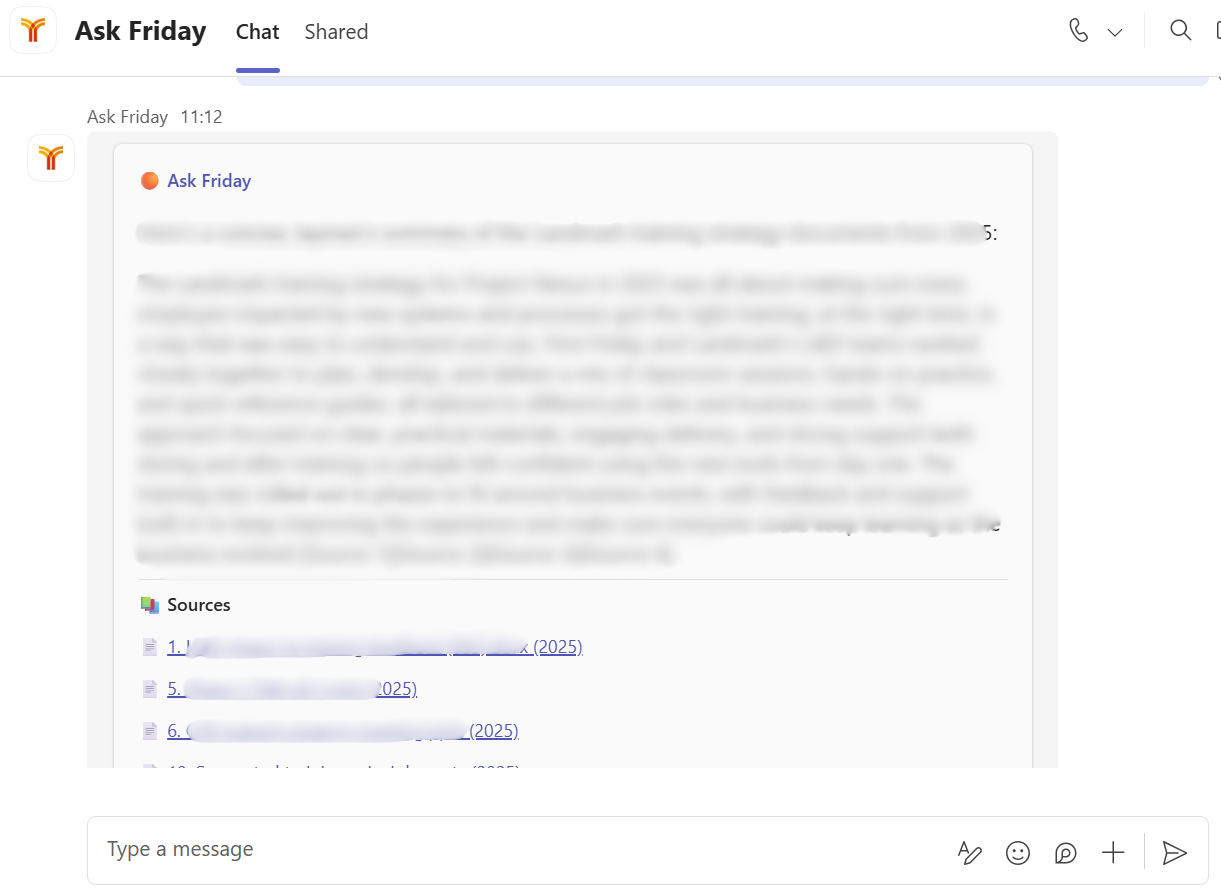
Employees chat with their company data in a simple MS Teams chat
What we built
We built a system that processes the firm's documents into a searchable knowledge base. When someone asks a question, the system finds the most relevant material and uses an AI model to generate a grounded answer - citing its sources so nothing is taken on trust.
The assistant lives in Microsoft Teams as a chat. There's no new software for anyone to learn. Staff open a chat and ask questions exactly as they would ask a knowledgeable colleague. The system runs entirely within the firm's own Microsoft Azure environment - their documents and search indexes stay in their infrastructure.
What people use it for
The most common use is finding past work. "Have we done anything like this before?" is the question that wastes the most time in most consultancies, and it's the one the system answers best.
But it gets used for more than simple search. Staff use it to prepare for client meetings - pulling together everything the firm has done for a particular client across all projects and years. New joiners use it to explore the firm's history and understand how the team approaches different types of work. People ask it to summarise technical documents, explain training strategies from past projects, or identify which clients the firm has worked with on a particular technology.
Separating signal from noise
Before we could build anything useful, we had to deal with the data. This turned out to be the hardest and most valuable part of the whole project.
The firm's SharePoint contained roughly 186,000 files. The vast majority were images, eLearning packages, system files, spreadsheets, and duplicates. After filtering for extractable text documents and removing duplicate files - identical content saved under different names or in different folders - we had a clean corpus of about 14,700 documents, split into nearly 96,000 searchable chunks.
The deduplication alone made a material difference. Without it, the same content appears multiple times in search results, pushing more relevant material down.
The metadata layer
Raw text search, even meaning-based search, has a fundamental limitation: a chunk of text about "the implementation timeline" could be about any project, for any client, in any year. Without context, the search engine can't distinguish between them.
To solve this, we built a metadata enrichment pipeline. An AI model reads each document and tags it with structured information: which client it relates to, what technology it involves, what type of project it was, and when. These tags are validated against a custom taxonomy built with the firm - a structured list of their clients, technologies, and project categories that grew from 57 entities to over 180 through iterative review.
Each chunk also gets a context prefix - a short line identifying who and what it's about, baked directly into the searchable text. This means the search engine can match on both the specific content and its organisational context. It's a small addition that dramatically improves the precision of results.
The metadata serves a second purpose. For broader questions - "what change management work have we done in grocery retail?" - the AI model receives not just the search results but a structured summary of all the clients, technologies, and project types in its result set. This gives it the context to synthesise across documents rather than just summarising one. It also enables structural queries like "which clients have we worked with on SAP?" - questions that require cross-referencing the metadata, not just searching document text.
Handling different types of questions
Not all questions are equal. A simple lookup like "what have we done for this client?" needs a focused, filtered search. A broader question about themes across multiple projects needs a different approach - decomposing the query, searching across metadata categories, and giving the AI model more structural context to work with. The system adapts its search strategy based on the type of question being asked, using different AI models for different tasks to balance quality with speed and cost.
Working with the client
Once the core system was live, we worked closely with the firm's team to customise it for how they actually use their knowledge. This meant adjusting the emphasis the system places on dates and document recency, helping it distinguish between proposals and delivered work, tuning the persona and tone, and refining how it handles the firm's specific terminology.
The system is now being used across the team and is being rolled out to the full company. Educe provides ongoing support, maintenance, model upgrades, and continuous improvements - because in a field moving this fast, a static build is a depreciating asset.
What we learned
Data preparation matters more than the AI model. Pointing a powerful AI at a messy document library produces messy answers. The enrichment pipeline - the taxonomy, the metadata, the context prefixes, the deduplication — is what makes the difference between a generic chatbot and one that understands the firm's work.
Every firm is different. The taxonomy, the terminology, the way people ask questions, what they consider important — all of this varies. A system that works well needs to be adapted to the specific organisation, not deployed from a template and left alone.
The starting point has a clear ceiling — and a clear next step. Right now, the system searches documents and generates grounded answers. It can draft content based on past work, but it's not yet reliably autonomous at generation tasks. That's the direction of travel — along with expanding beyond SharePoint to other knowledge sources. But the current foundation has to be solid first.
Where this goes
We now offer this approach as a service to other firms. If your team has years of knowledge trapped in SharePoint and currently relies on memory, folder browsing, or asking around to find things, this is built for that problem.
The system is deployed within your own Microsoft environment, adapted to your firm's documents and terminology, and maintained on an ongoing basis.
If you'd like to see it in action, book a discovery call or get in touch at ed@educeprojects.com.
